Help Center / HRMS / Everyday HR
Approve leave and claims
Leave, claims and profile changes from staff wait in Approvals; approve or reject each one there.
2 min read
What you'll learn
- Where requests from staff wait
- How to see what you already decided
Step by step
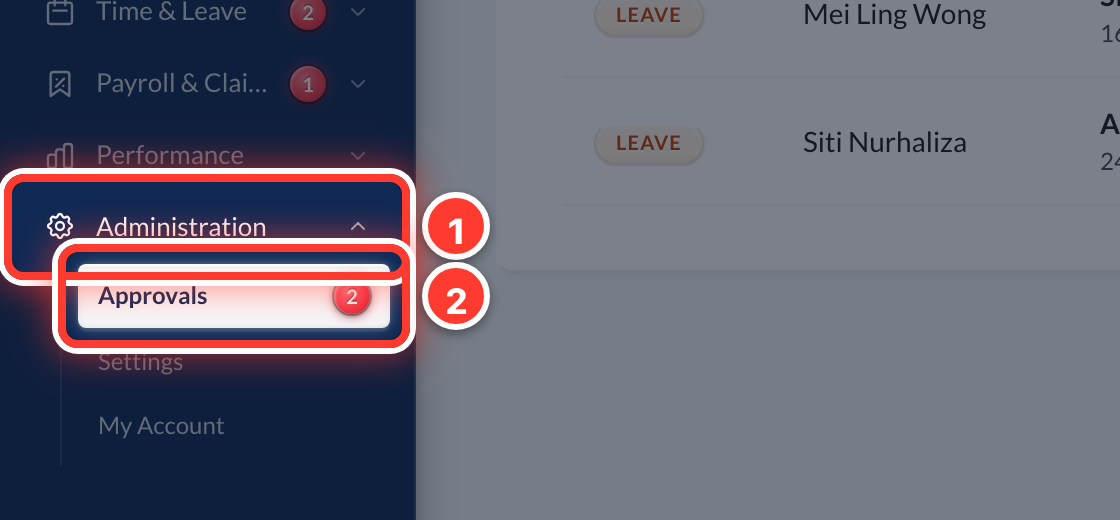 1Open Administration in the sidebar, then Approvals. Leave, claims and profile changes from your staff all wait here.
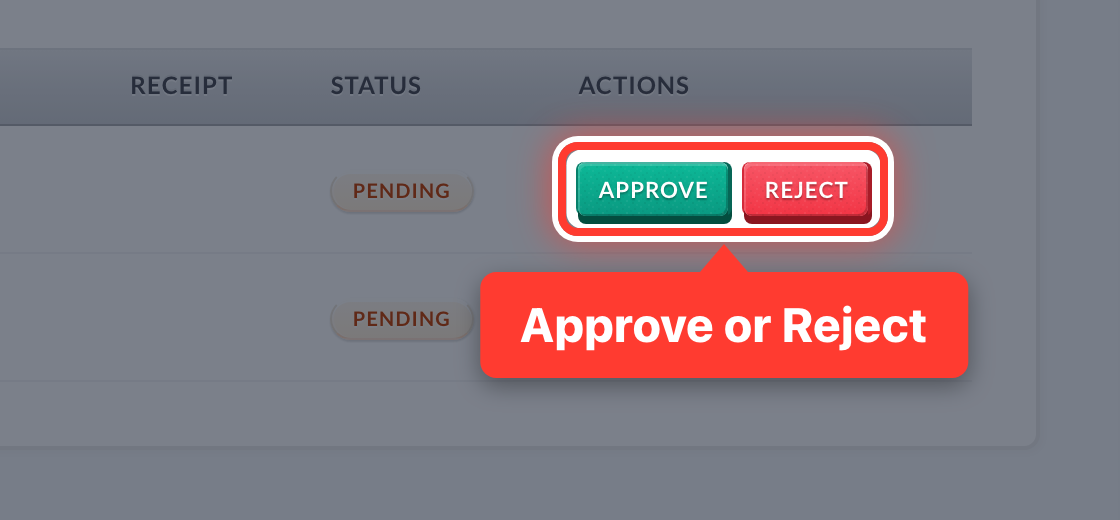 2Check the dates or the amount, then press Approve or Reject.
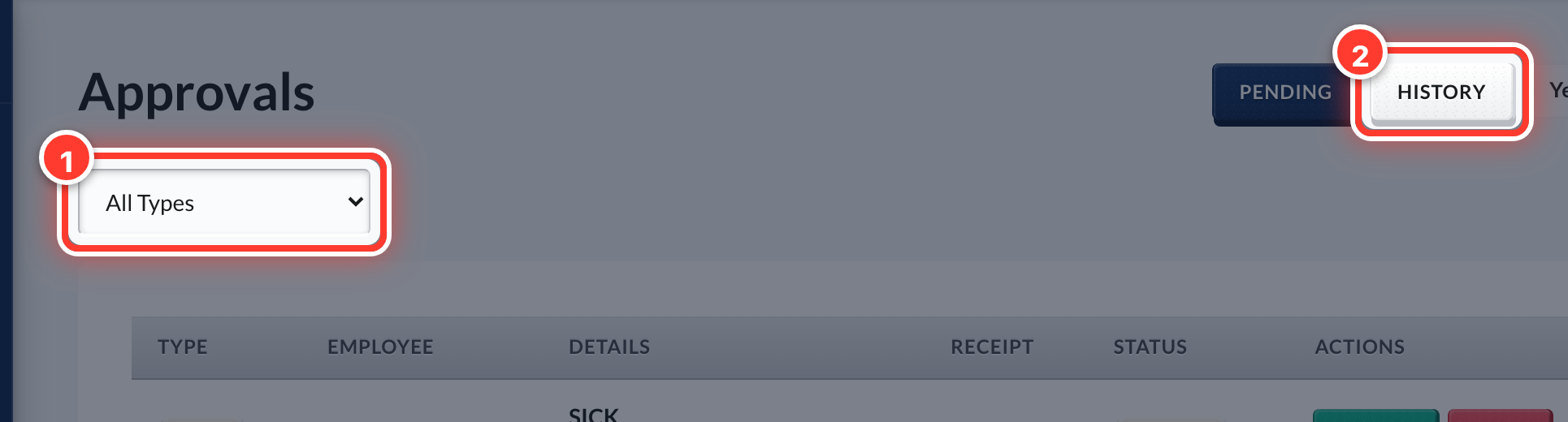 3Use the filter to see one kind at a time, and History for what you already decided.
Got a question or stuck on something? Our team is happy to help.
Contact support