Help Center / HRMS / Get started
Set up leave and claim types
Add the standard Malaysian leave types and your claim policies before staff start applying.
3 min read
What you'll learn
- Add the standard leave types in one click
- Set up what staff can claim
Step by step
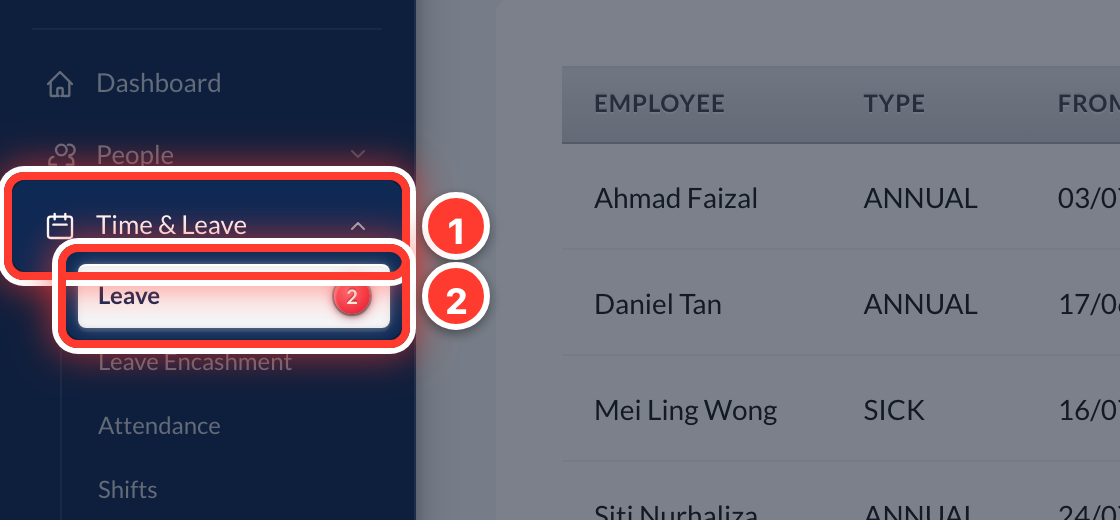 1Open Time & Leave in the sidebar, then Leave.
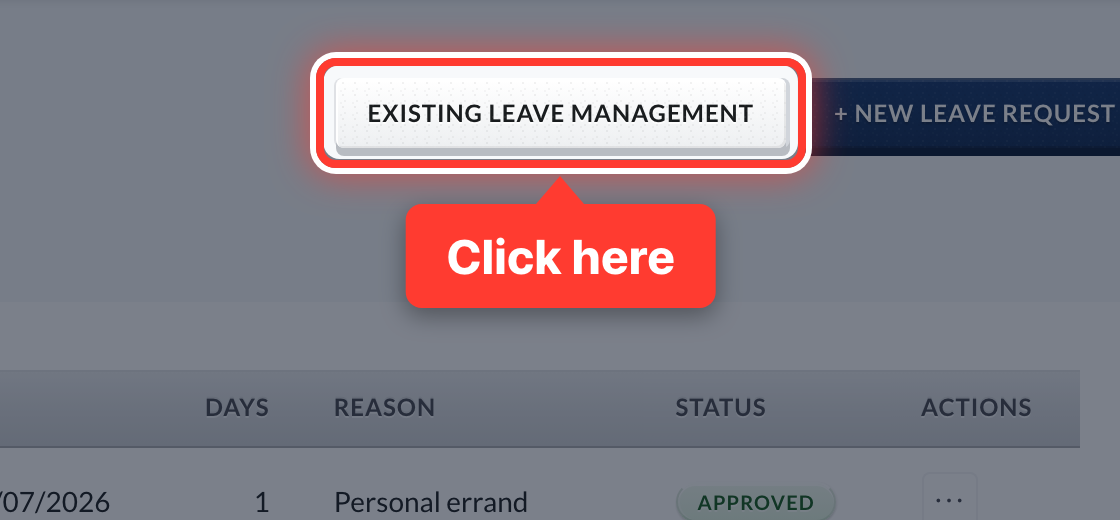 2Press Existing Leave Management.
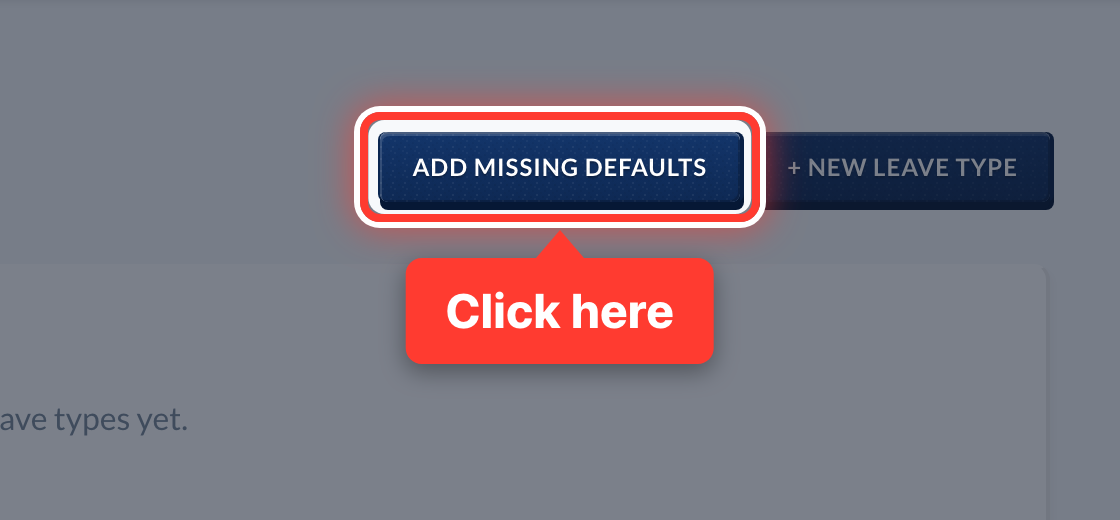 3Press Add Missing Defaults to add the standard Malaysian leave types in one go.
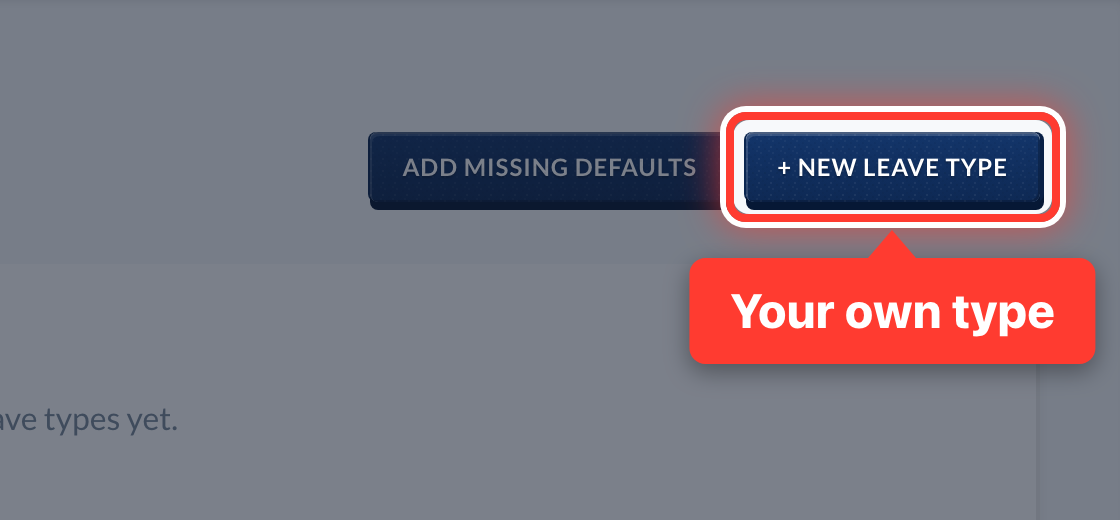 4Need one of your own? Press + New Leave Type.
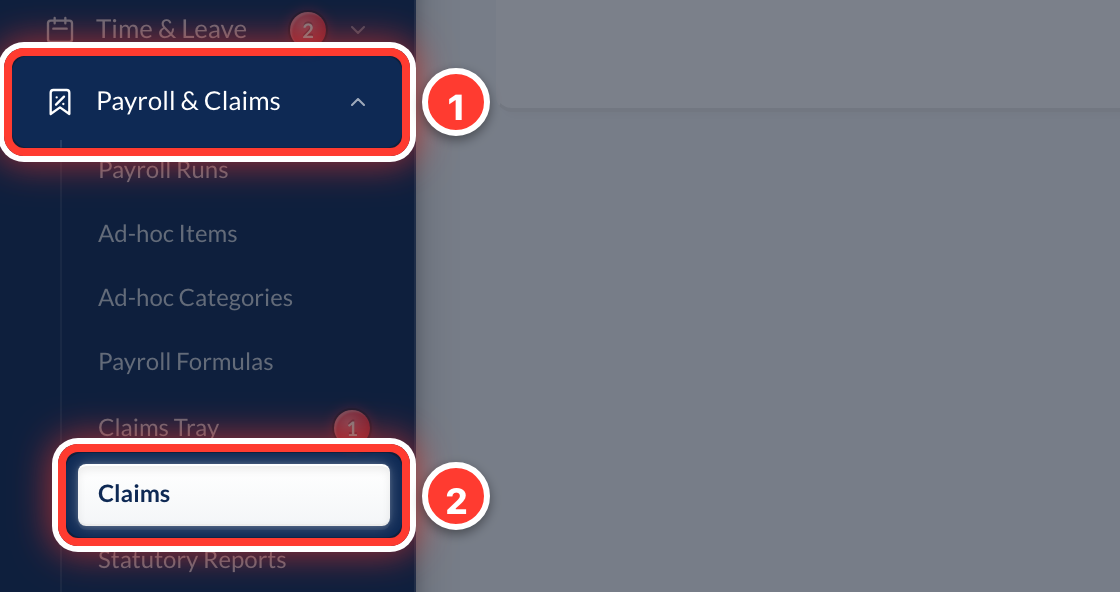 5Claim types work the same way. Open Payroll & Claims in the sidebar, then Claims.
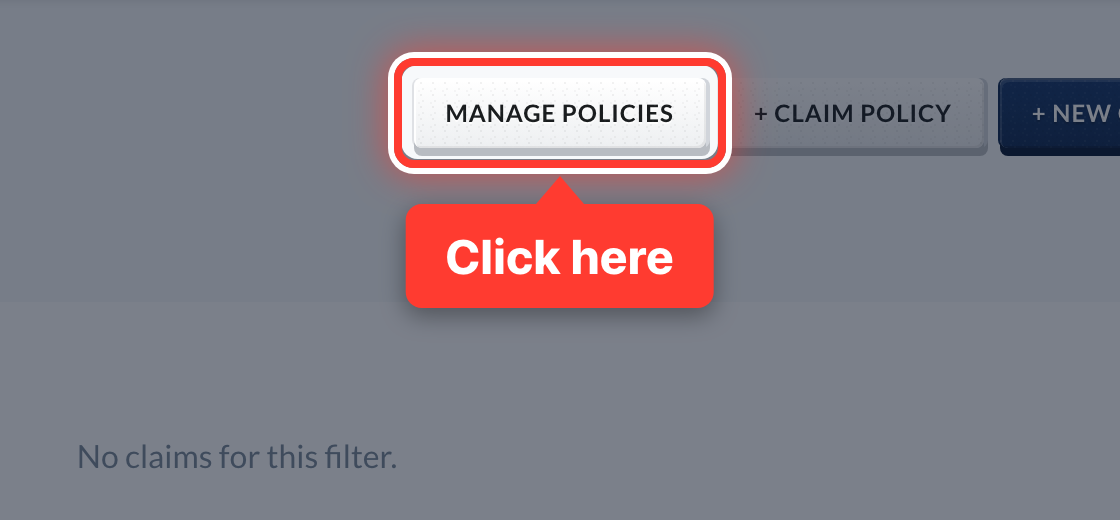 6Press Manage Policies.
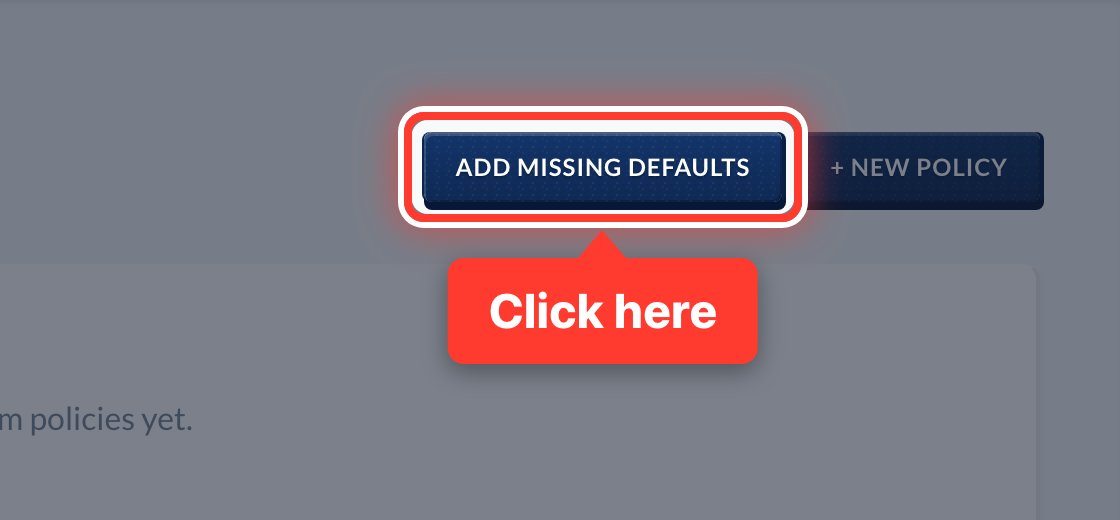 7Press Add Missing Defaults for the standard claim types, or + New Policy for your own.
Got a question or stuck on something? Our team is happy to help.
Contact support