Help Center / HRMS / Payroll
Run payroll
Start a payroll run for the month; Fortura works out EPF, SOCSO, EIS and PCB on every payslip.
3 min read
What you'll learn
- Start a month’s payroll
- What Fortura works out for you
Step by step
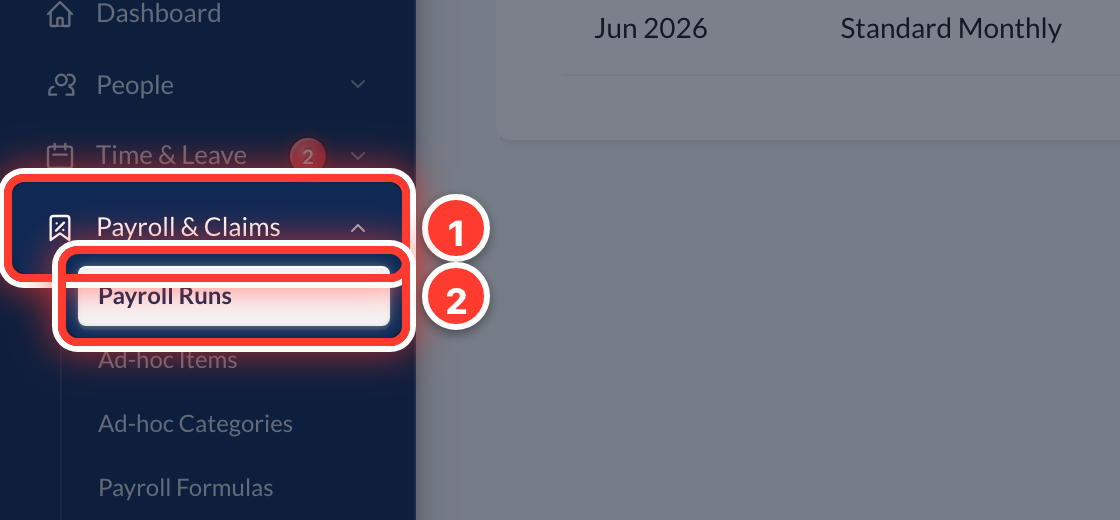 1Open Payroll & Claims in the sidebar, then Payroll Runs.
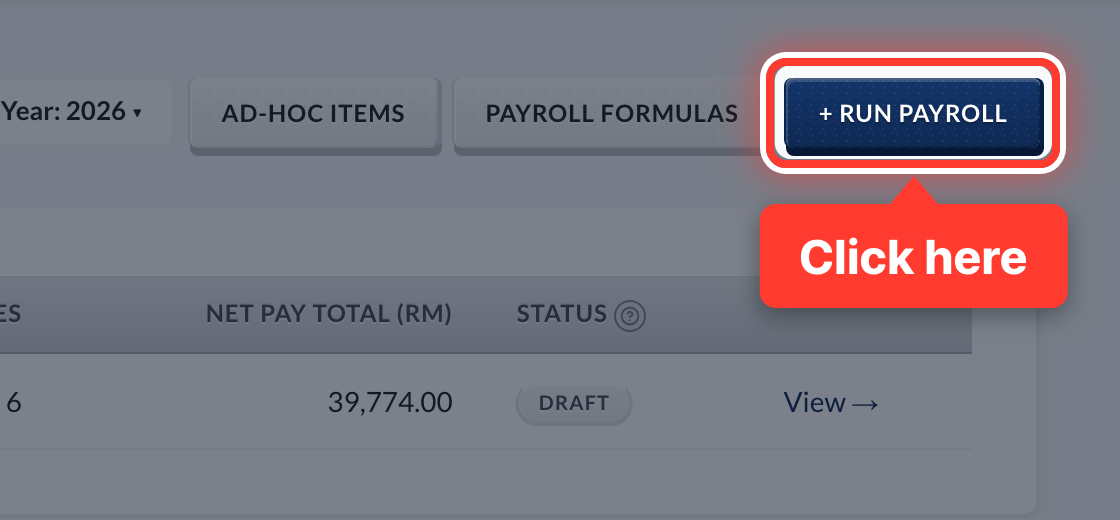 2Press + Run Payroll.
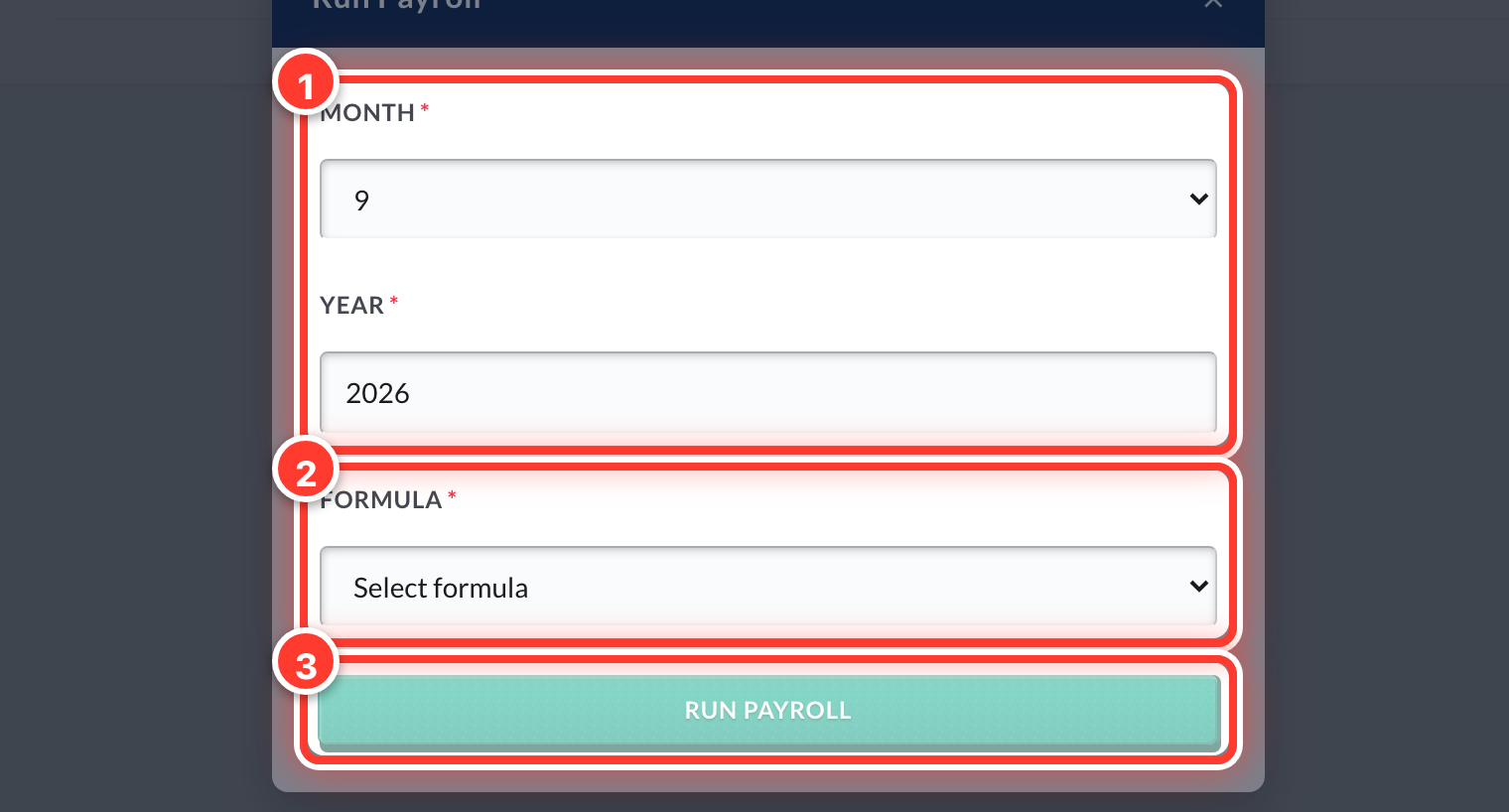 3Pick the month, the year and your formula, then press Run Payroll.
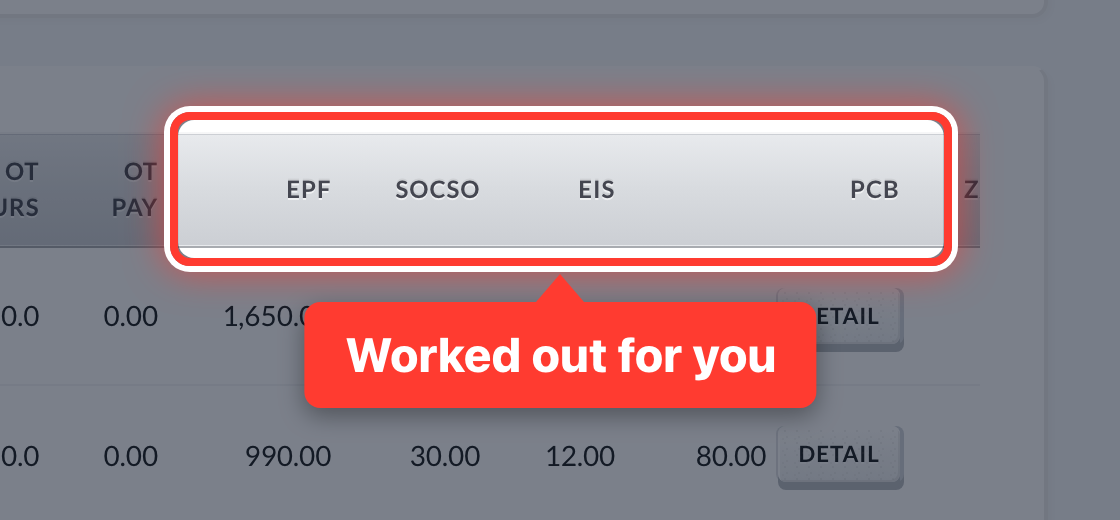 4Fortura works out every payslip — EPF, SOCSO, EIS and PCB (income tax). The run starts as a Draft.
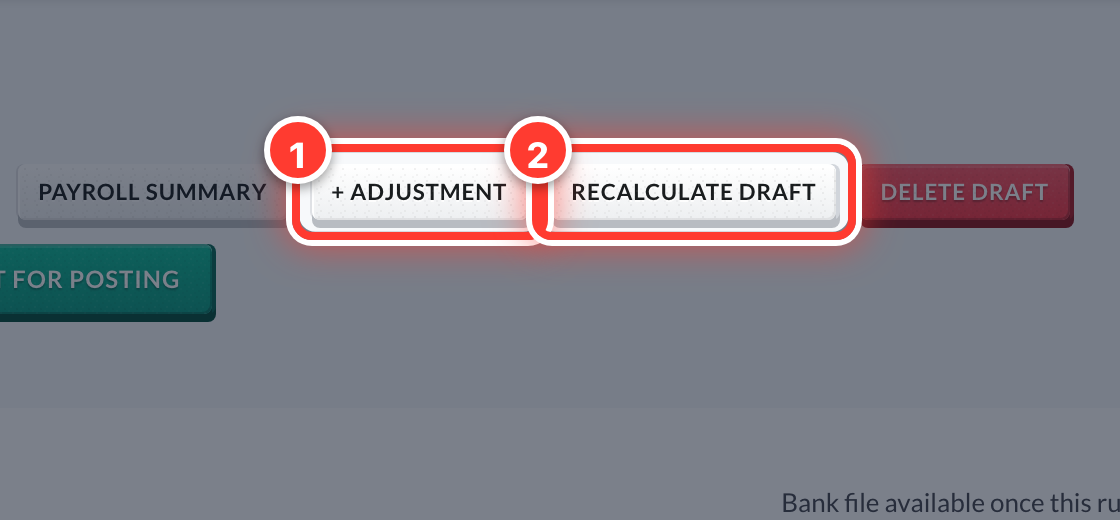 5A bonus or a one-off deduction? Press + Adjustment. Changed someone's details? Press Recalculate Draft.
Got a question or stuck on something? Our team is happy to help.
Contact support