Help Center / HRMS / Everyday HR
Record leave for someone
Enter a leave request for a staff member, and see who is away on the leave calendar.
2 min read
What you'll learn
- Enter leave on a staff member’s behalf
- See who is away
Step by step
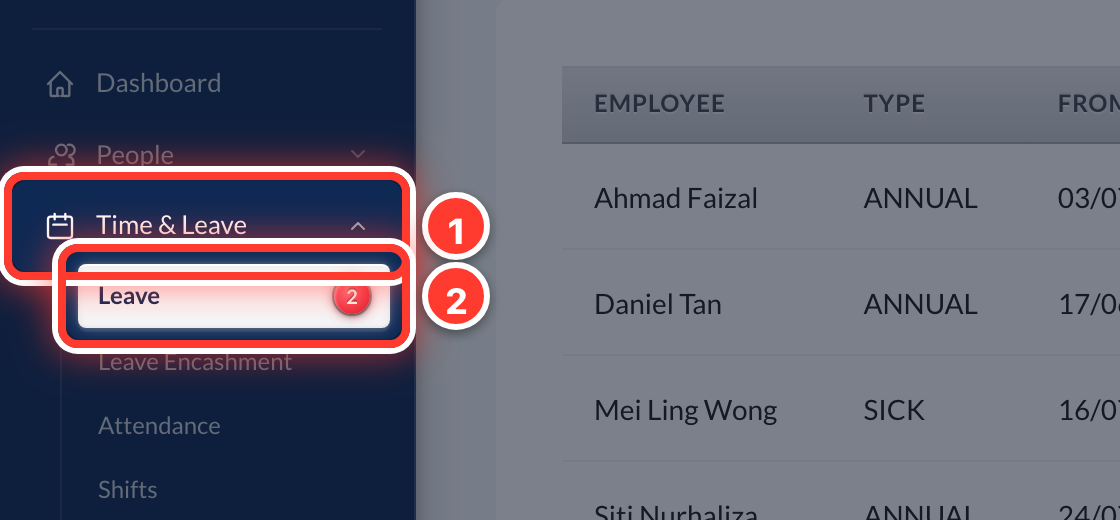 1Open Time & Leave in the sidebar, then Leave.
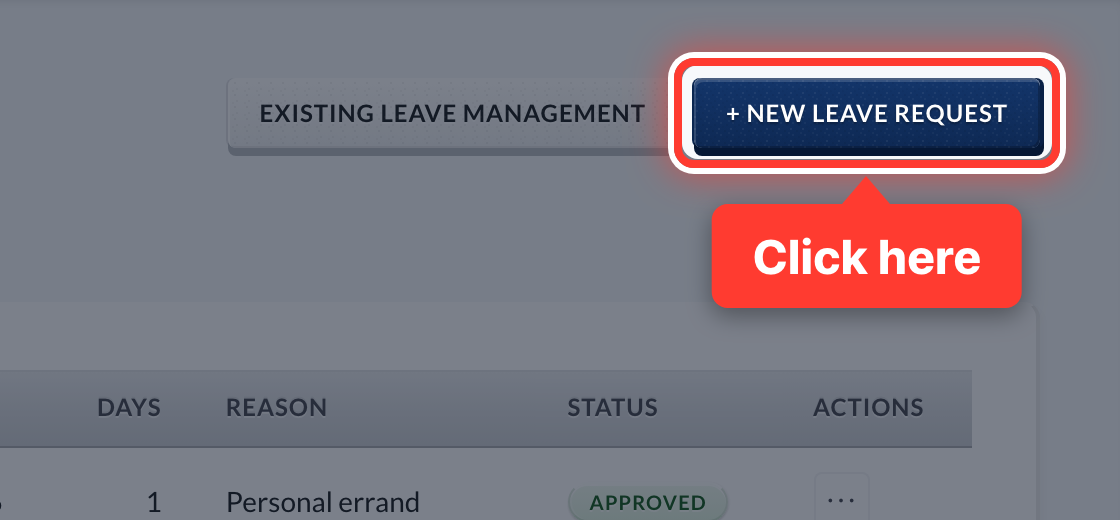 2Press + New Leave Request.
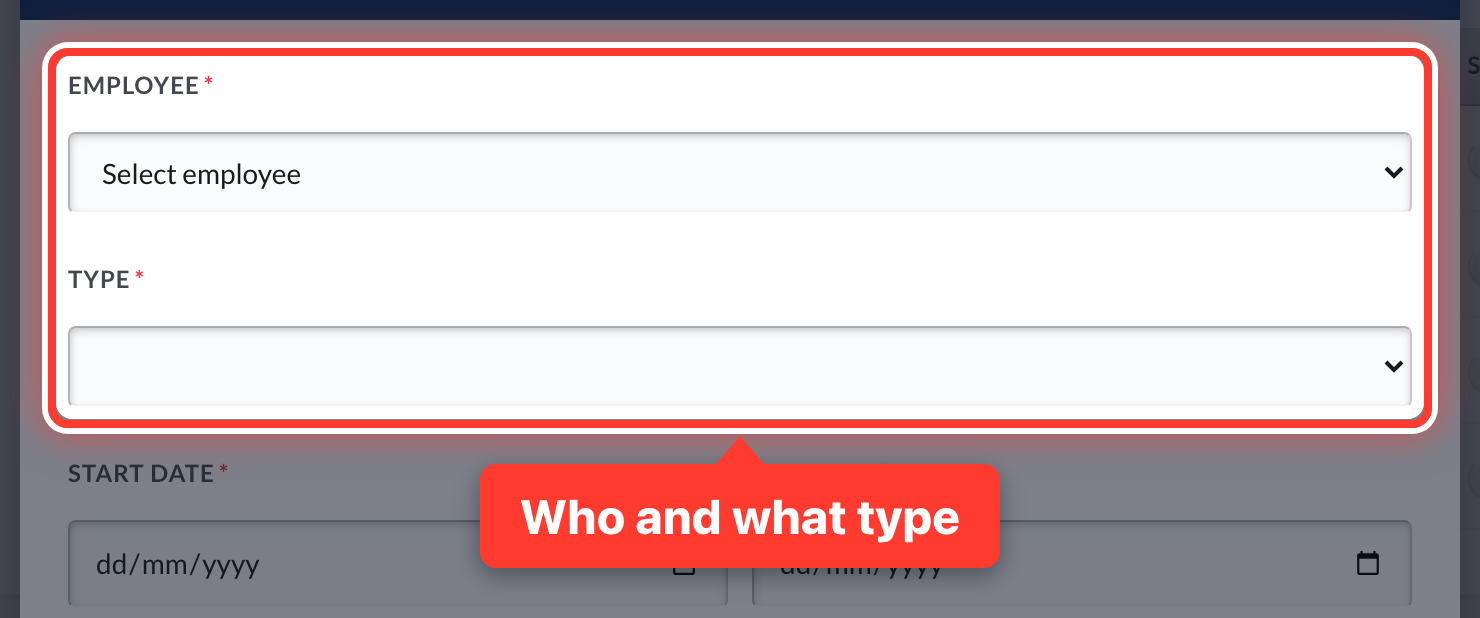 3Pick the employee and the leave type.
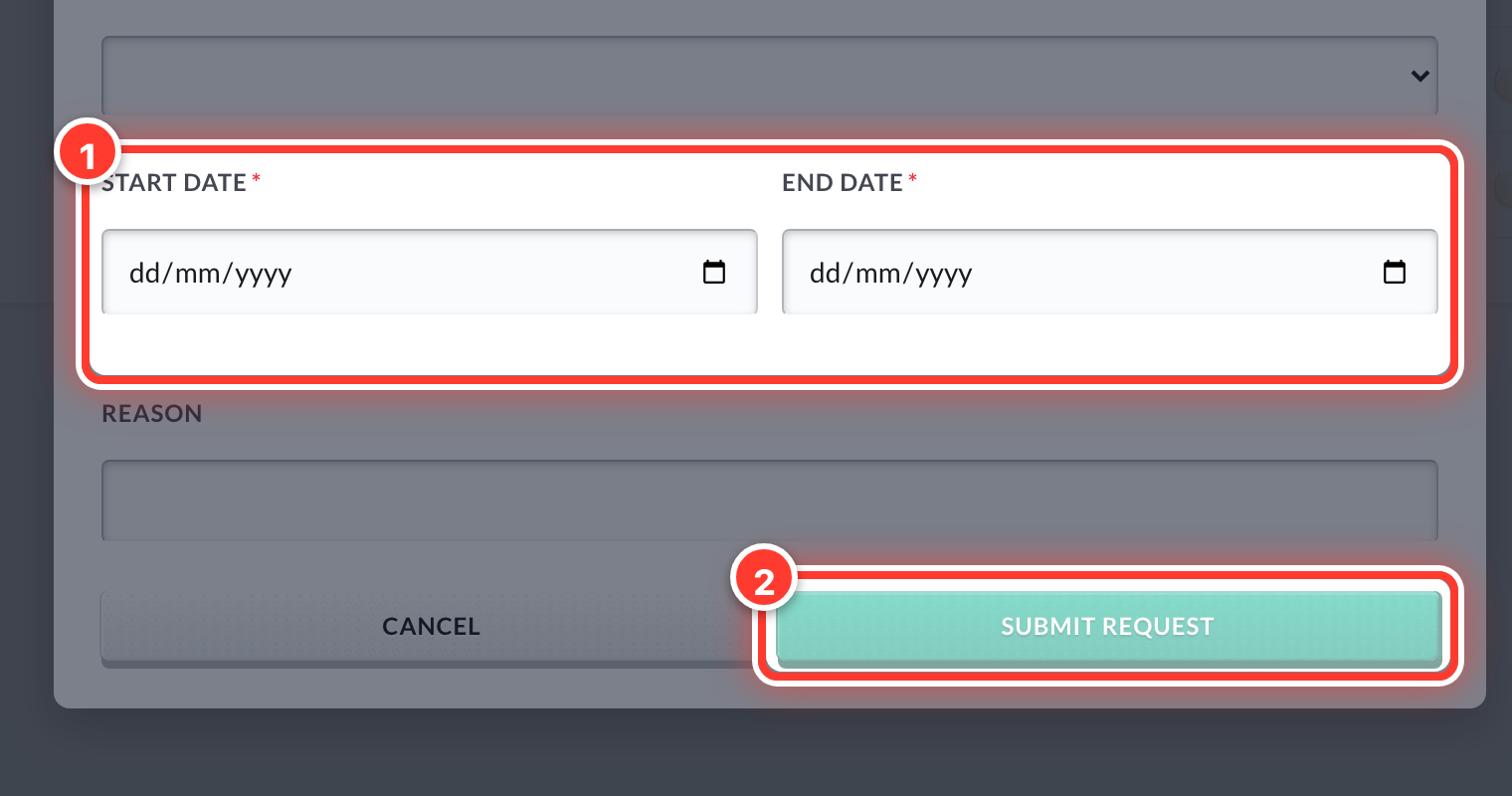 4Set the start and end dates, add a reason, and press Submit Request.
- 5Staff can also apply themselves from the Employee portal. Their request lands in Approvals.
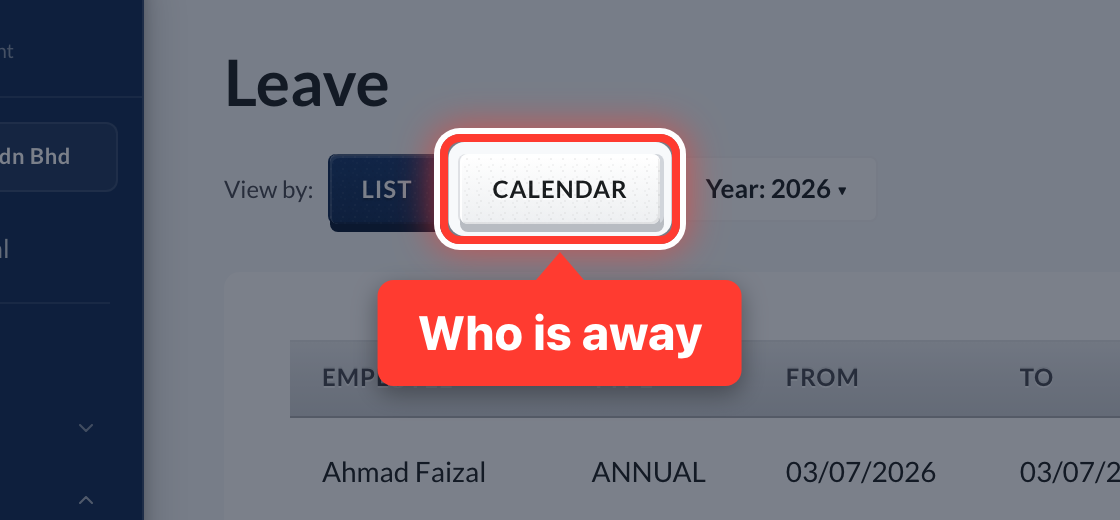 6Switch to Calendar to see who is away.
Got a question or stuck on something? Our team is happy to help.
Contact support