Help Center / Bookkeeping / Understand your books
Your Chart of Accounts
What a GL account is and how your chart of accounts is grouped.
3 min read
- What a GL account is
- How accounts are grouped
Your Chart of Accounts is the list of buckets your money is sorted into. Every posting names one. Rent goes to a rent account, a sale goes to a sales account, and the reports add the buckets up.
How it is organised
Each account has a code, and the codes group the accounts by kind: assets (what you own), liabilities (what you owe), equity (the owner's stake), income and expenses. Assets, liabilities and equity build your Balance Sheet; income and expenses build your Profit & Loss.
Where to find it
Accounting → Chart of Accounts. Fortura can start you off with a standard Malaysian set — Purchases and Trade Payables among them — where the codes run in bands: 100s assets, 200s liabilities, 300s equity, 400s income, 500s and 600s expenses. A chart you brought in yourself keeps its own codes.
Adding one
- Add an account when a cost is big or regular enough that you want it on its own line in the Profit & Loss. The button is Add Account Code.
- Do not add one for a one-off. Put it in the closest account you already have — fifty barely-used accounts make a report harder to read, not clearer.
- Renaming keeps the history. Editing the name leaves every past posting where it is, under the new name. A new account starts from zero.
Step by step
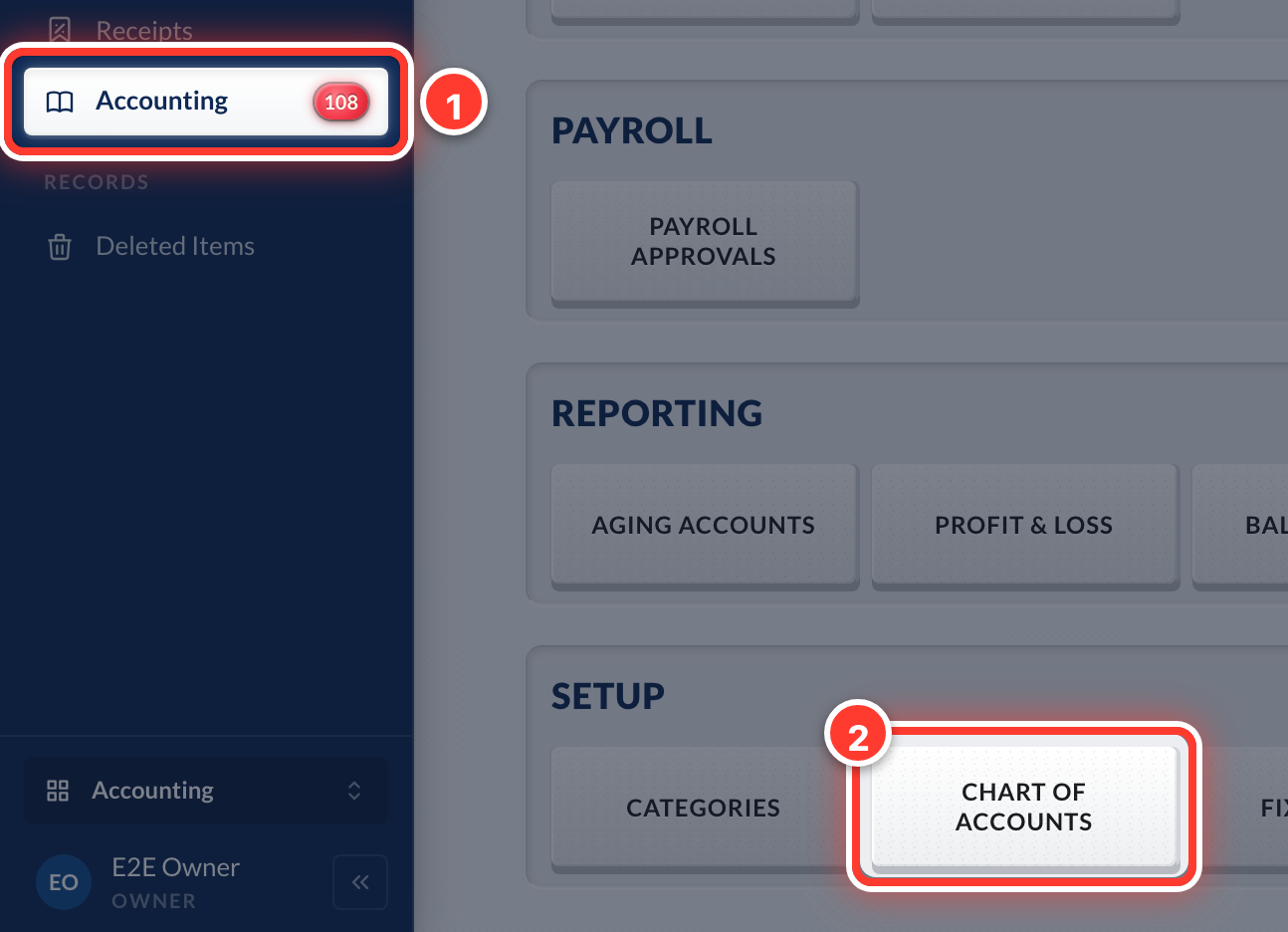 1Open Accounting in the sidebar, then Chart of Accounts to see every account your books use.
Got a question or stuck on something? Our team is happy to help.
Contact support