Help Center / Bookkeeping / Everyday tasks
Staff claims
How staff claims are approved, and why the expense is only recorded when you pay the staff back.
2 min read
- How a staff claim moves
- Why approving a claim doesn't change your books yet
A claim is money a member of staff spent out of their own pocket for the business — parking, a taxi, a client lunch — and wants back. Claims are submitted with their receipt in HRMS, the staff module; bookkeeping no longer takes them in directly. Older claims are still here, and every claim reaches your books the same way: waiting to be reimbursed.
Approving a claim posts no journal entry
This is the one exception in Fortura. Approving an invoice posts its entry straight away. Approving a claim does not — nothing reaches your ledger at that point.
The entry happens when you pay it back
You reimburse the staff member, and that payment lands on your bank statement. Open Bank Reconciliation, open the transaction and match it on the Claims tab — claims are grouped by employee, and one payment can cover several. That match is what posts the entry: DR the expense account, CR your bank.
So until you reconcile the reimbursement, an approved claim is a record, not yet a cost in your accounts.
Step by step
- 1Staff now send claims in HRMS, where you approve them — see Staff claims in the HRMS course. An approved claim is paid on their next payslip and reaches your books with that payroll entry.
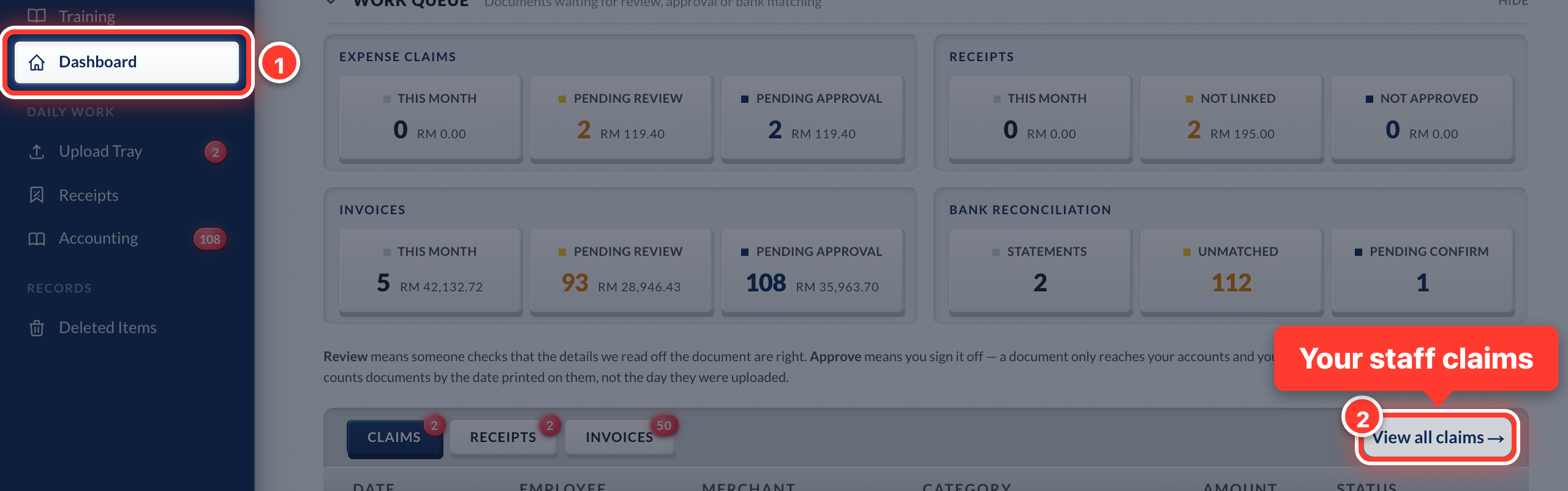 2Claims from before HRMS stay in your books. Find them on your Dashboard under View all claims.
- 3For those, approving posts no entry yet. When you pay the staff member back, match that bank line to the claim in Bank Reconciliation.
- 4That match is what records the expense in your books.
Got a question or stuck on something? Our team is happy to help.
Contact support