Help Center / Bookkeeping / Understand your books
Debit vs credit
The two sides of every entry, explained without jargon.
3 min read
What you'll learn
- The two sides of every entry
Every entry in your books has two sides: a debit (DR) and a credit (CR). The debit says where the value went. The credit says where it came from. The two sides are always the same amount, so the books balance. That is the whole of it — the rest is which account goes on which side.
The practice invoice
You approved a purchase invoice for RM 1,250.00 and put it to Purchases. Fortura posted:
- DR Purchases RM 1,250.00 — the cost went into your expenses.
- CR Trade Payables RM 1,250.00 — the money came from the supplier, so you now owe them.
When you pay it
Later the payment shows on your bank statement. You match that line in Bank Reconciliation, and Fortura posts the other half:
- DR Trade Payables RM 1,250.00 — you owe the supplier that much less.
- CR your bank account RM 1,250.00 — the money has left the bank.
Step by step
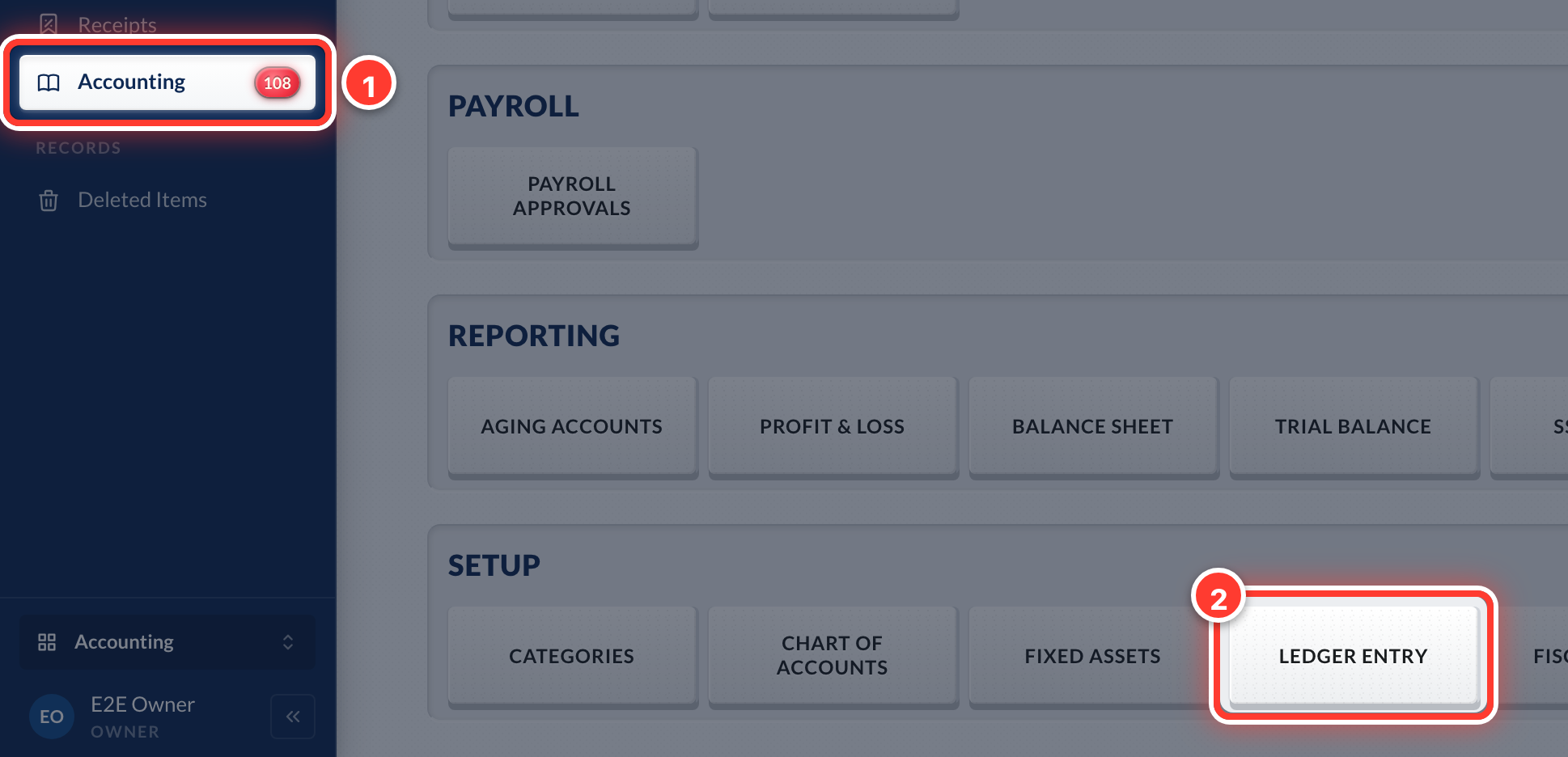 1See it in Fortura: open Accounting in the sidebar, then Ledger Entry.
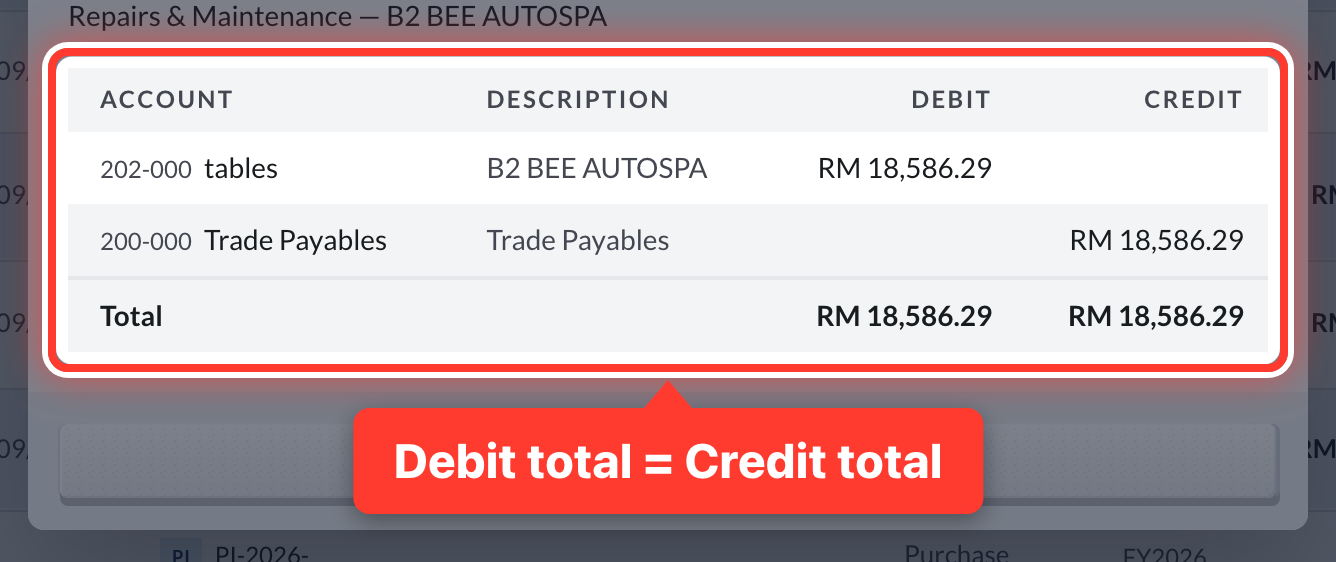 2Click any entry. Its debits and credits always add up to the same total.
Got a question or stuck on something? Our team is happy to help.
Contact support