Help Center / Bookkeeping / Quick start
Read your P&L and balance sheet
What your Profit & Loss and Balance Sheet show, and how to click through to where a number came from.
3 min read
What you'll learn
- What the P&L tells you
- What the Balance Sheet tells you
- How to see where a number came from
Step by step
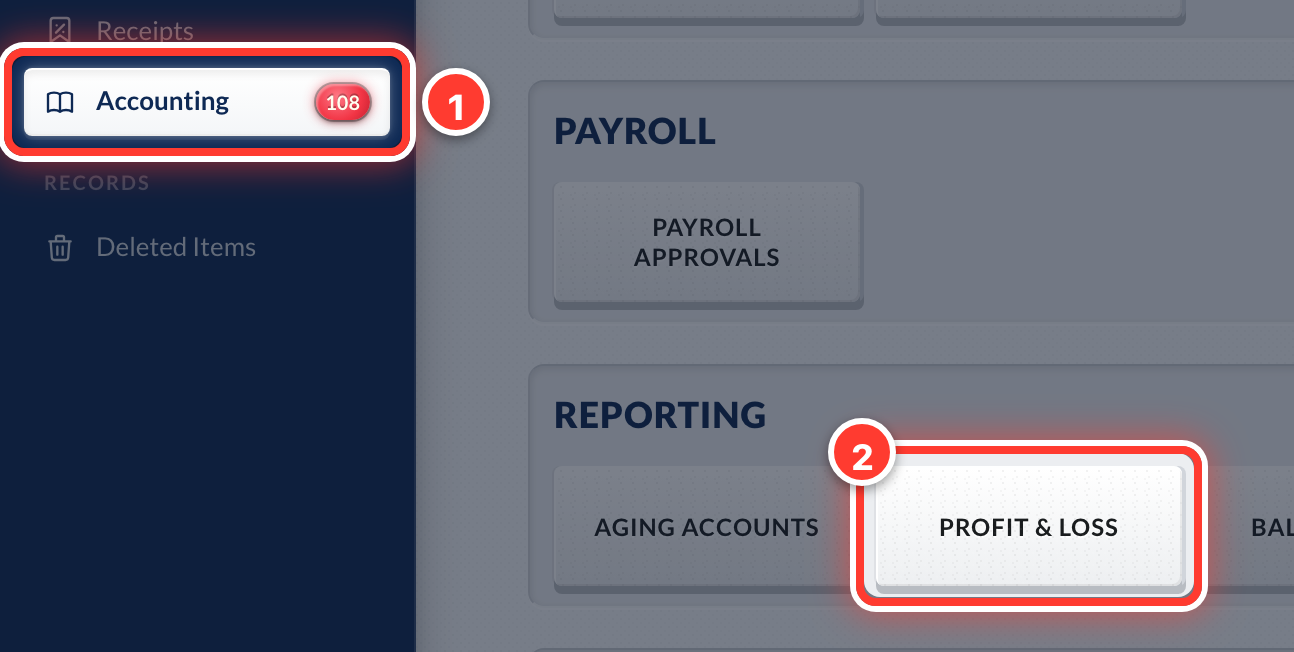 1Open Accounting in the sidebar, then Profit & Loss.
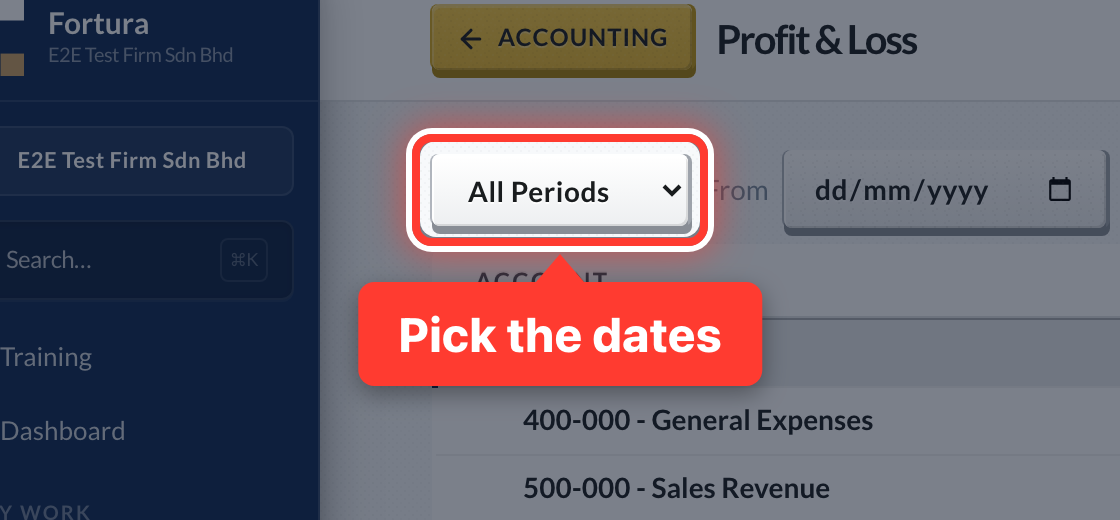 2Profit & Loss shows money earned minus money spent, for the dates you pick.
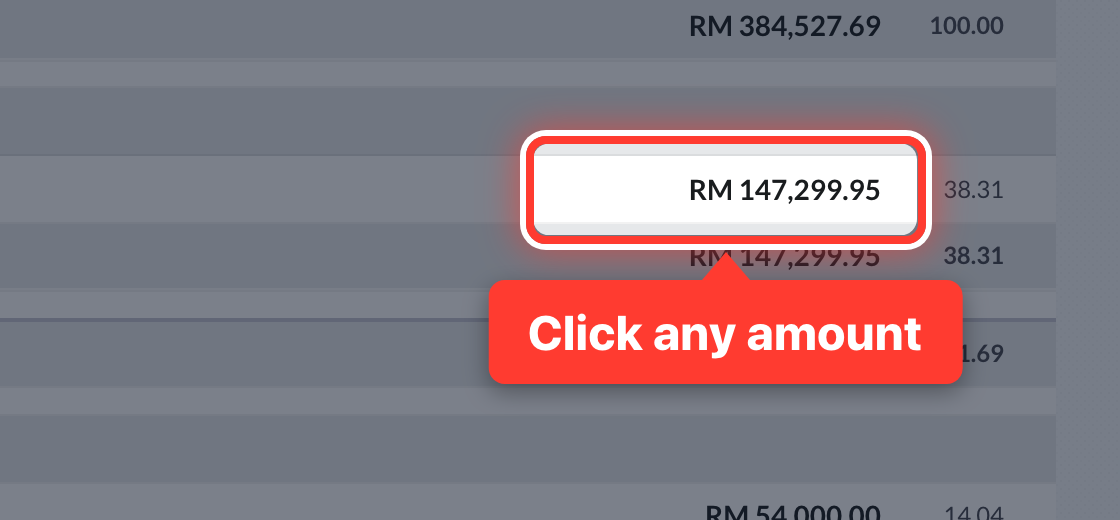 3Click any amount to see the entries behind it.
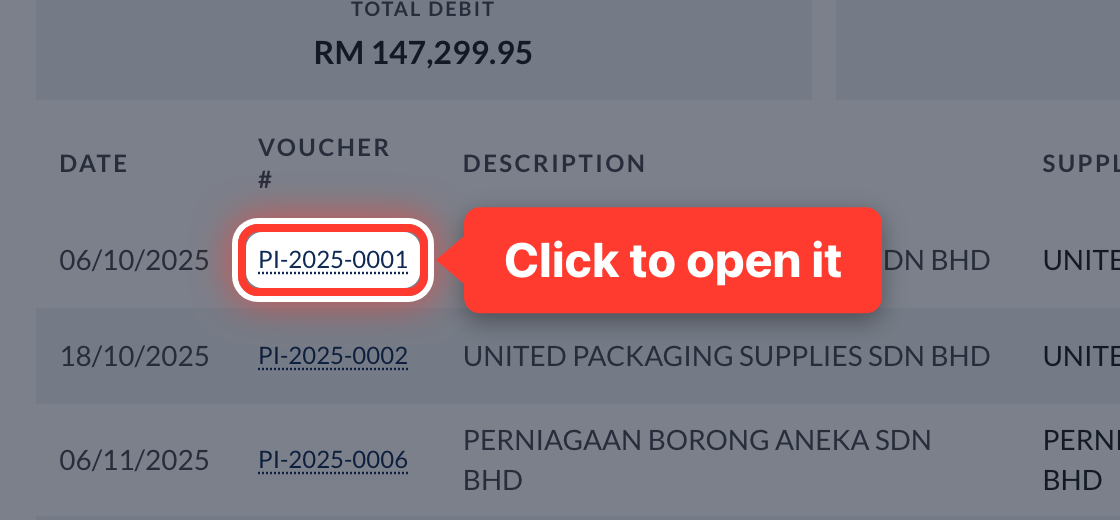 4Click an entry to open the invoice or voucher it came from.
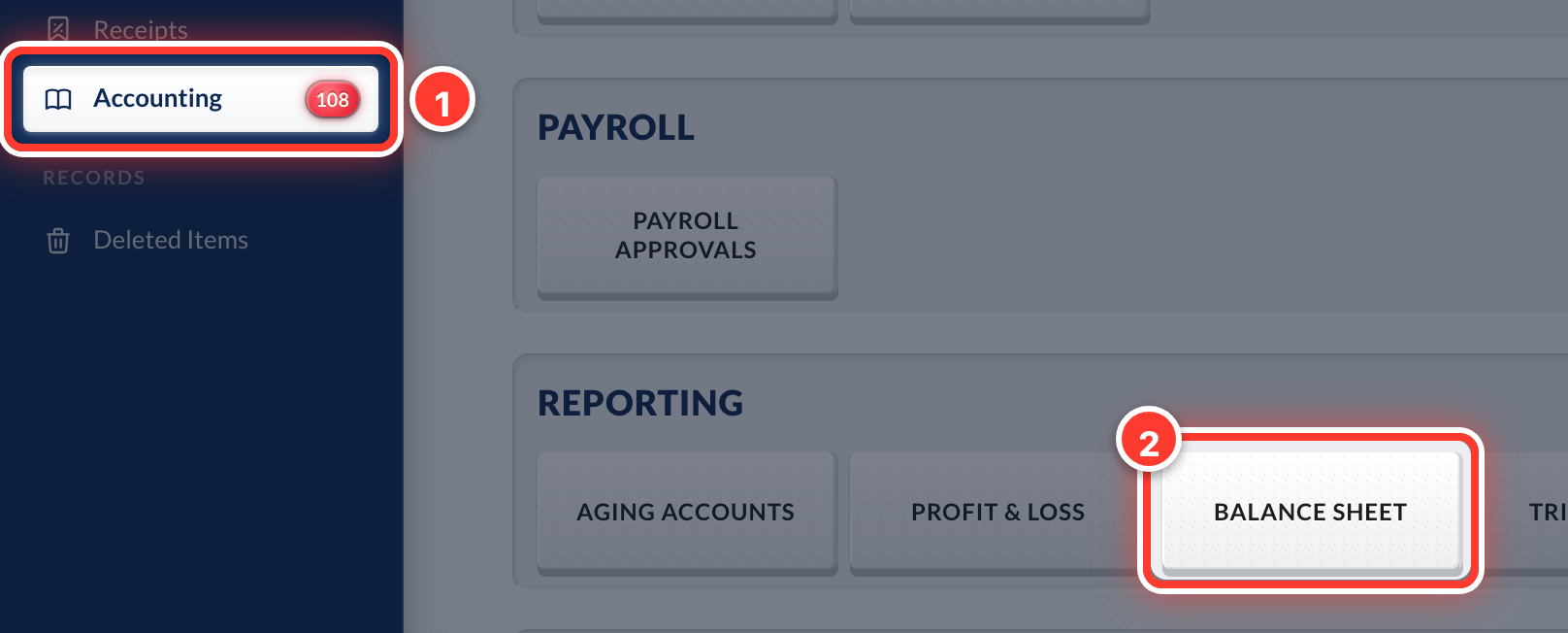 5For the Balance Sheet, open Accounting, then Balance Sheet.
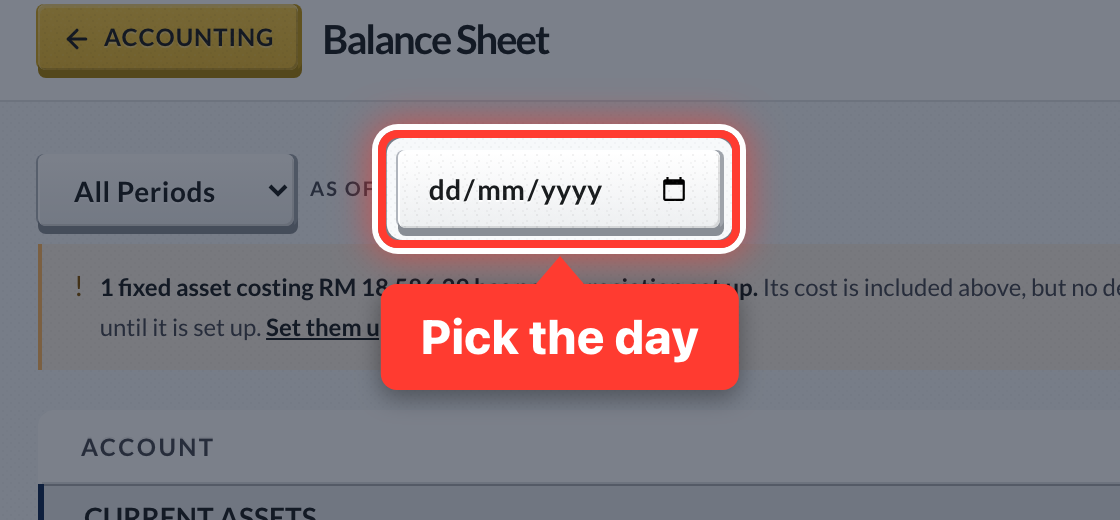 6Balance Sheet shows what the company owns and owes on one day.
- 7Numbers only include approved documents.
Got a question or stuck on something? Our team is happy to help.
Contact support