Help Center / Bookkeeping / Quick start
What Fortura does for you
How Fortura turns your bills and bank statements into up-to-date books and reports.
2 min read
What you'll learn
- How a bill becomes an entry in your books
- What you do, and what Fortura does for you
Step by step
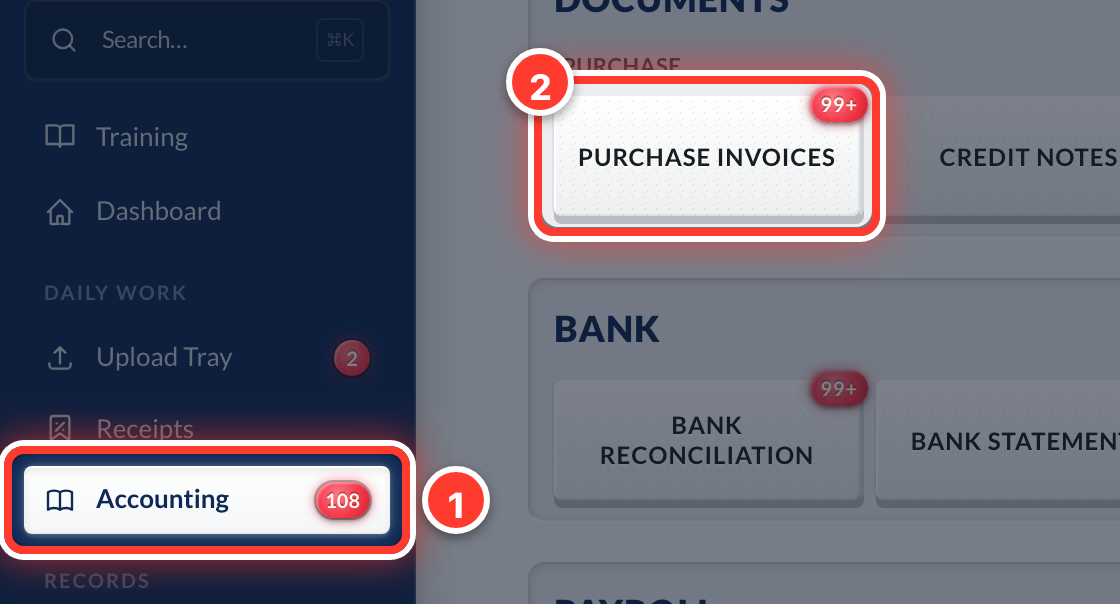 1Your bills live in Accounting (in the sidebar) → Purchase Invoices.
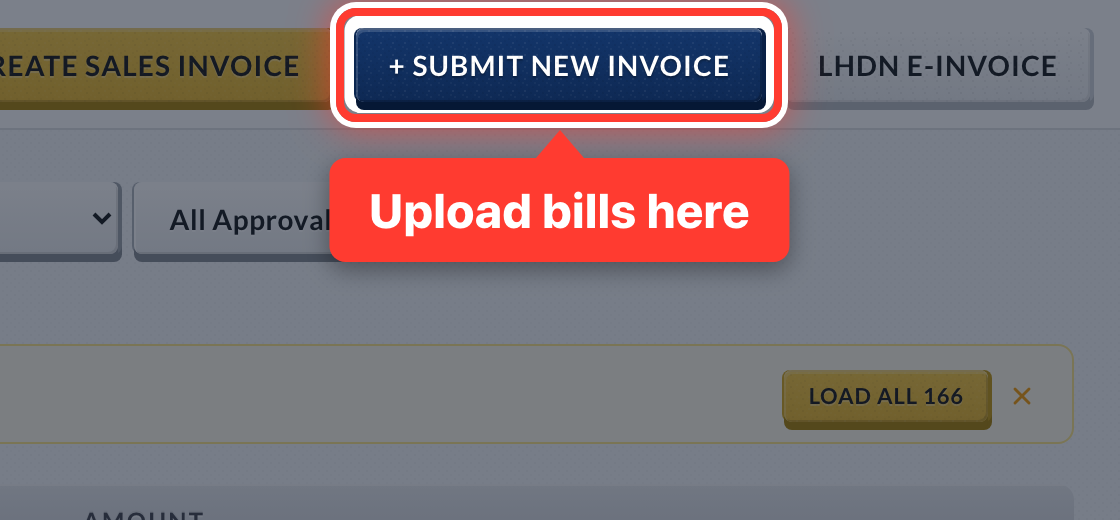 2You send us your bills and receipts — upload them here, or snap a photo on Telegram.
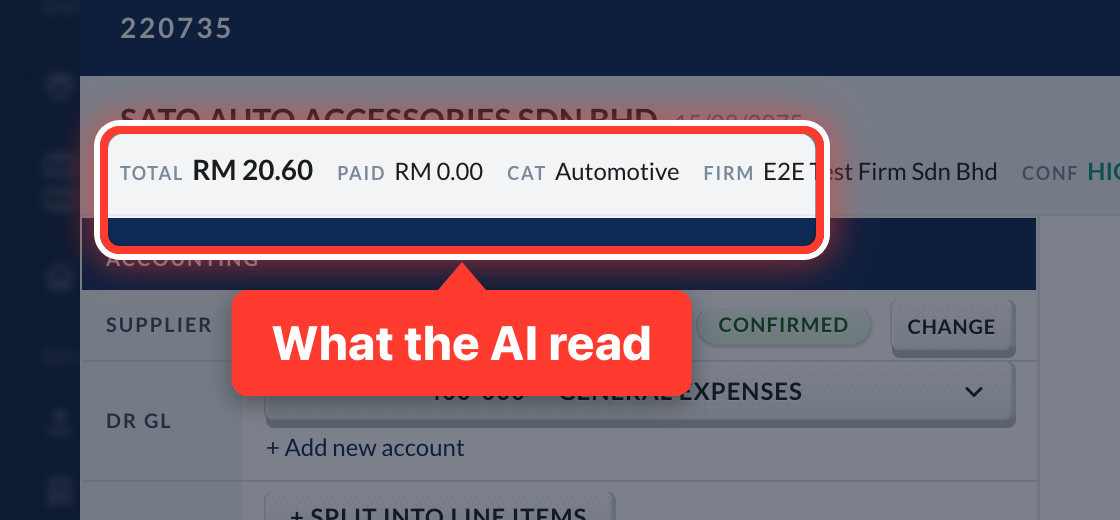 3Our AI reads each one: supplier, date, invoice number, amounts and SST.
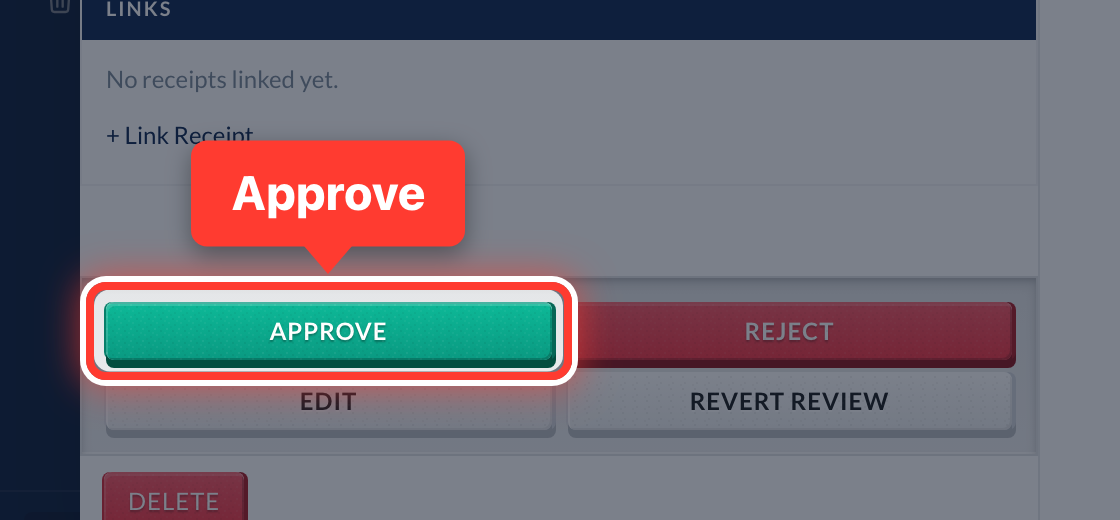 4You check what it read and press Approve. Approving is what puts it in your books.
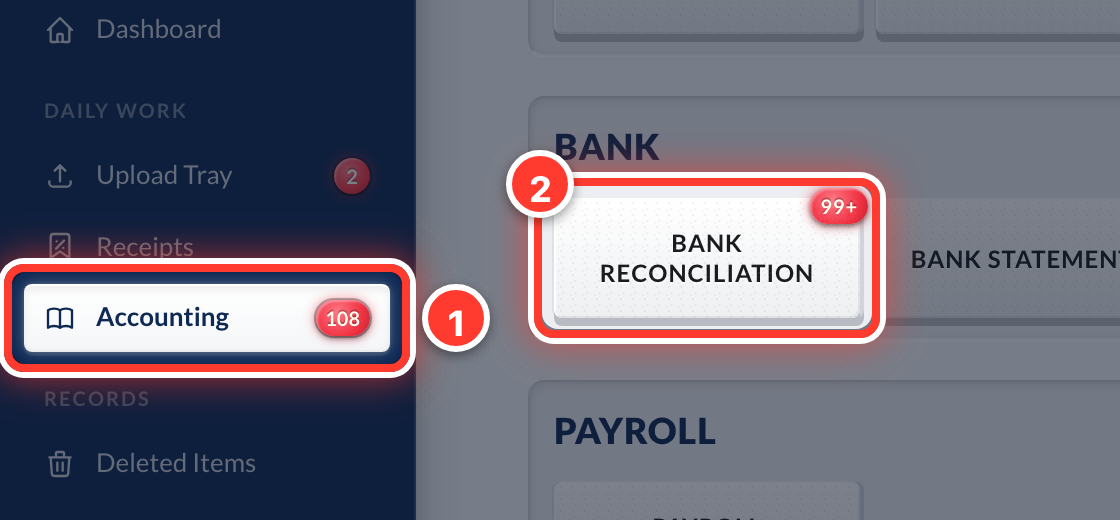 5Your bank lives in Accounting → Bank Reconciliation.
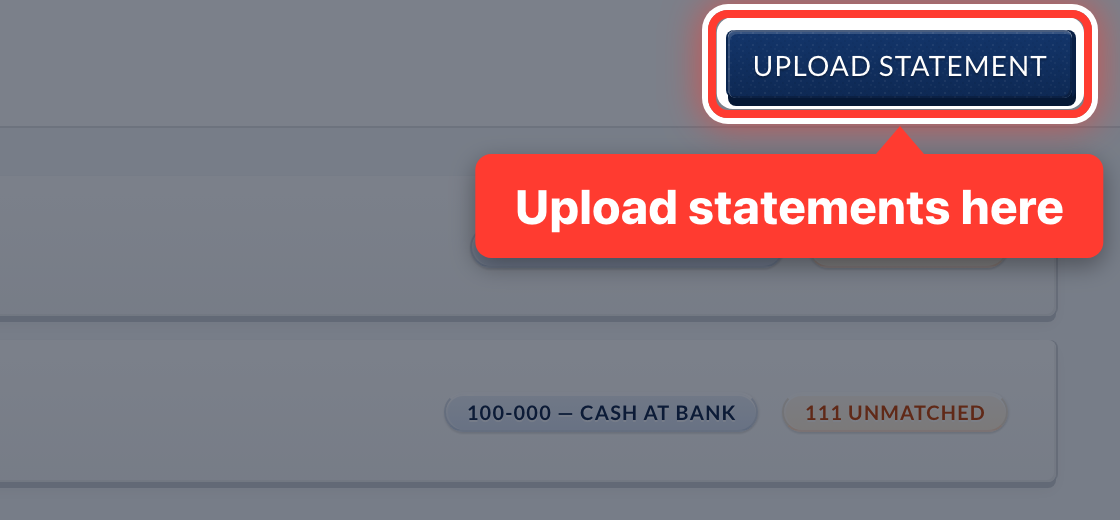 6Upload your bank statement each month and Fortura matches each bank line to its invoice.
- 7Your Profit & Loss and Balance Sheet update by themselves as you go.
Got a question or stuck on something? Our team is happy to help.
Contact support