Help Center / Bookkeeping / Everyday tasks
Record a payment or receipt without an invoice
Record bank lines with no invoice — fees, top-ups, refunds — as a Payment Voucher or Official Receipt.
3 min read
- When to use a Payment Voucher (PV)
- When to use an Official Receipt (OR)
Not every line on your bank statement has a document behind it. Bank charges, interest, money you put into the business, money you take out — there is no invoice to match.
What to do
Open the transaction in Bank Reconciliation. Instead of matching an invoice, create a voucher for the line itself:
- Money out → + Create Payment Voucher. Choose the account the money belongs to, Bank Charges for example.
- Money in → + Create Official Receipt. Choose the account the money came from.
Confirm & Create posts the entry: the account you chose on one side, your bank account on the other. Money out is DR the account and CR the bank; money in is the other way round.
When you are not sure
Leave the line unmatched and ask your accountant. An unmatched line posts nothing — it reaches your books only when you confirm it. It waits on the statement until you come back to it.
Step by step
- 1Some bank lines have no invoice — bank fees, a director's top-up, a refund.
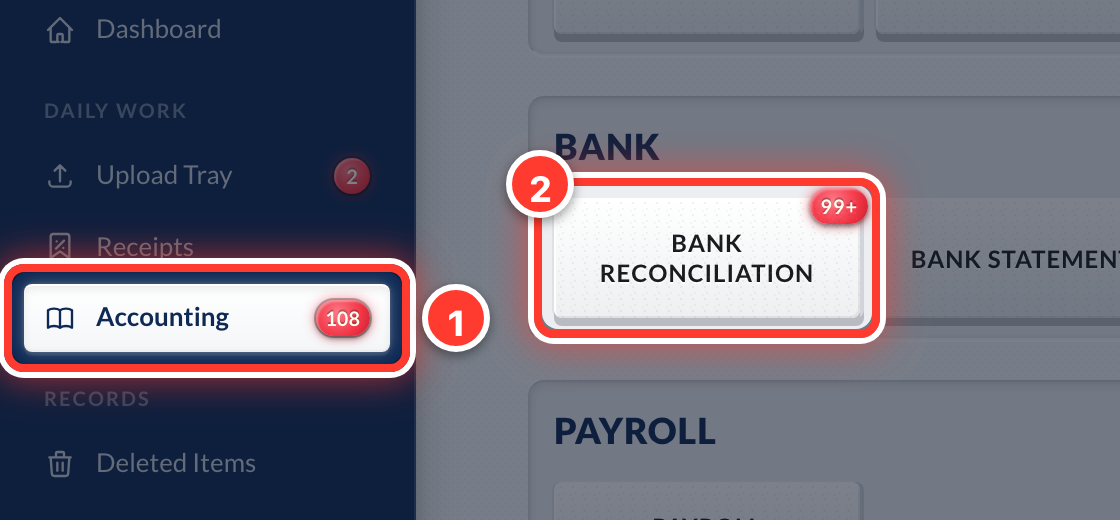 2Open Accounting in the sidebar, then Bank Reconciliation.
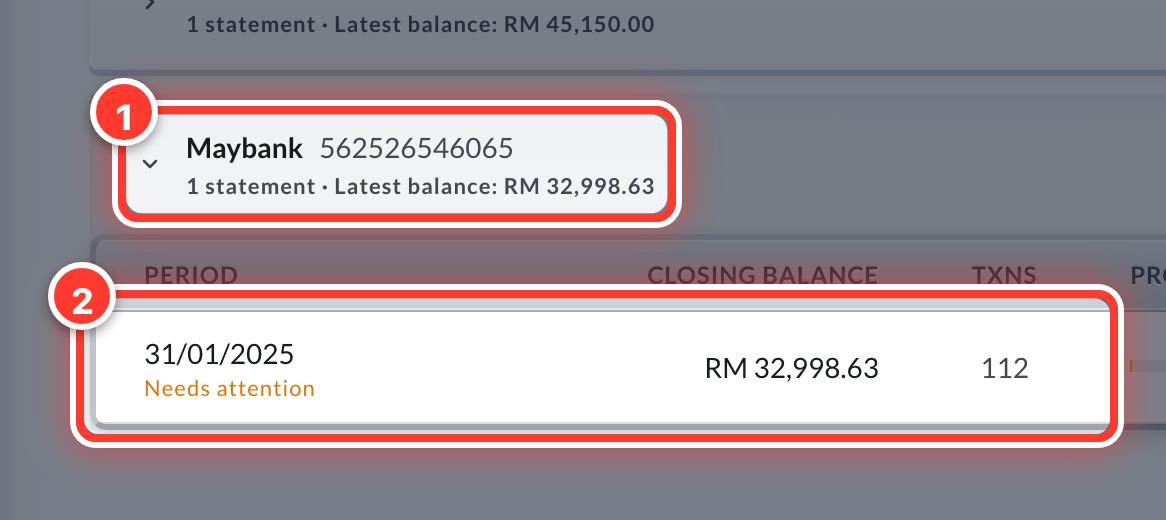 3Click your bank, then its statement for the month.
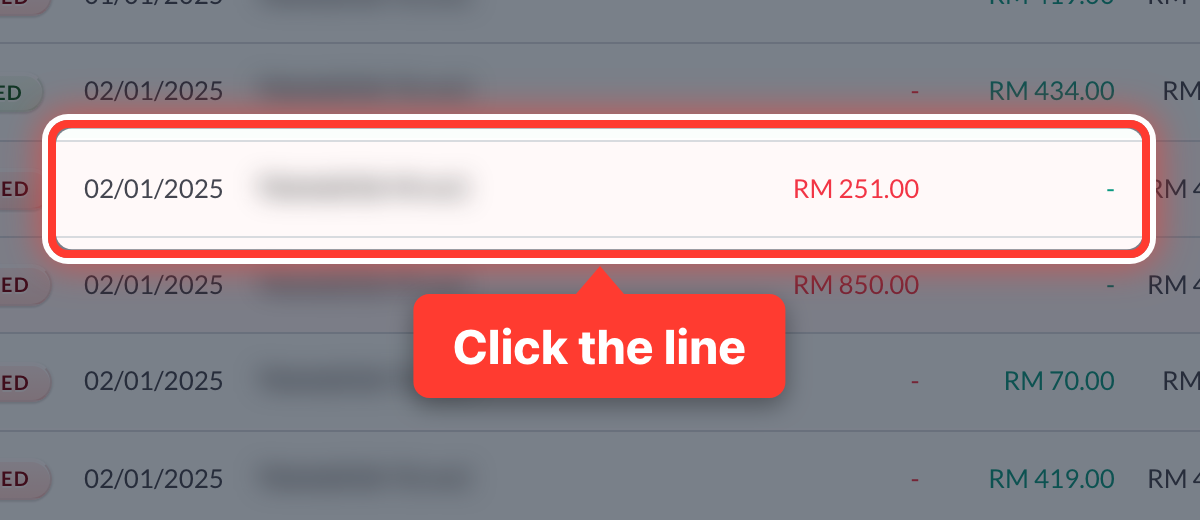 4Click the line with no invoice.
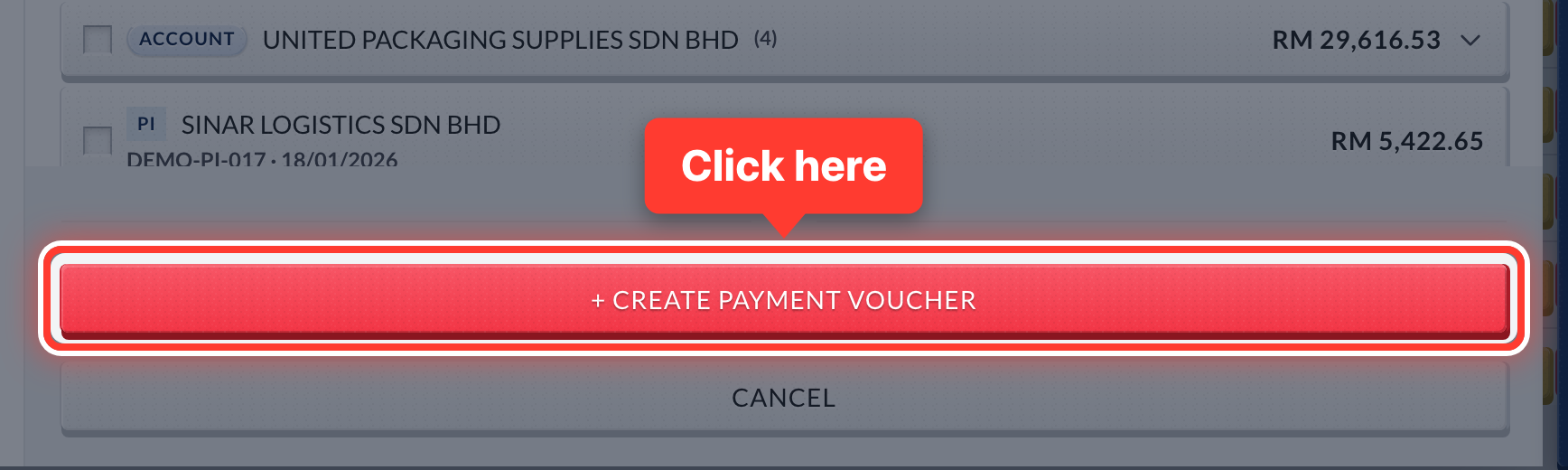 5Money out: press + Create Payment Voucher. Money in: press + Create Official Receipt.
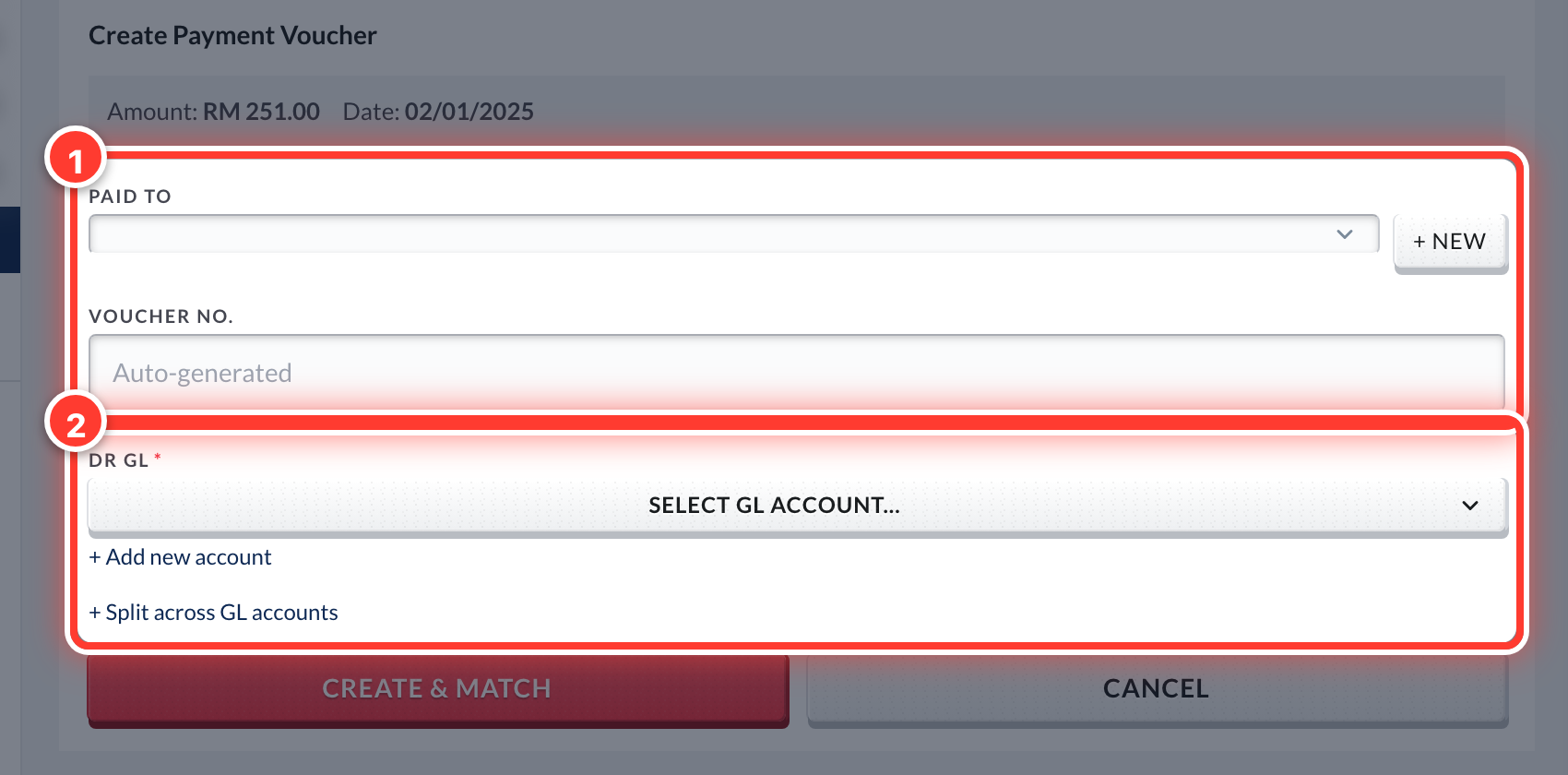 6Fill in who it was paid to (or received from) and pick one GL.
 7Press Create & Match, then Confirm & Create.
Got a question or stuck on something? Our team is happy to help.
Contact support