Help Center / Bookkeeping / Quick start
Send us your invoices
Get bills into Fortura by uploading them or sending a photo on Telegram.
3 min read
What you'll learn
- Upload a bill from your computer
- Send a photo by Telegram
Step by step
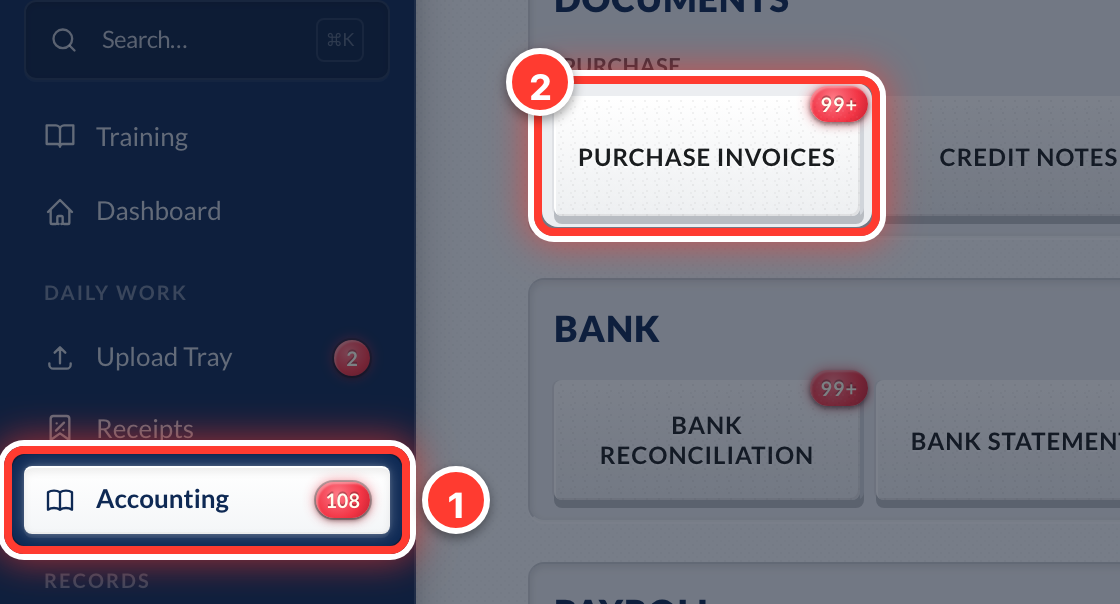 1Open Accounting in the sidebar, then Purchase Invoices.
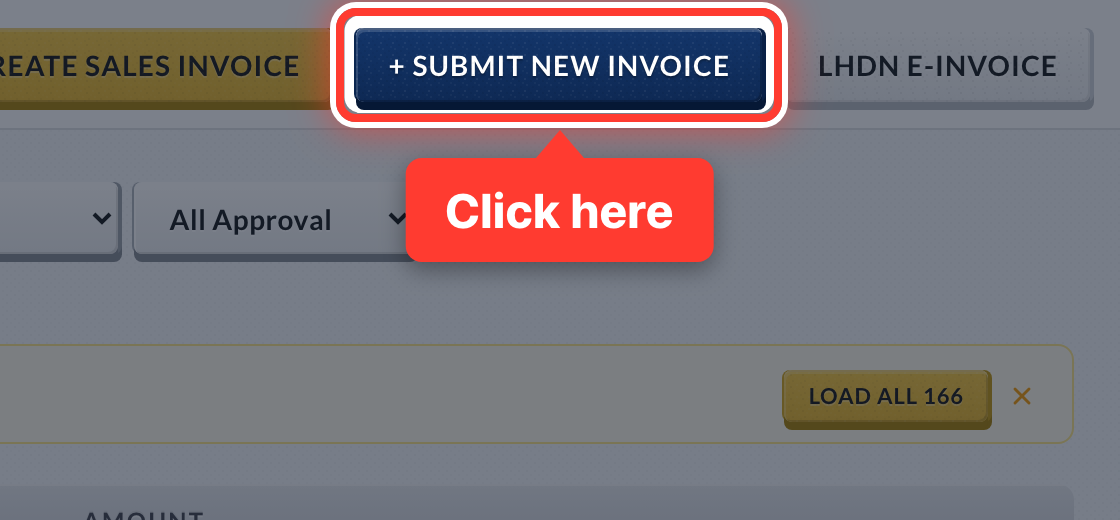 2Press + Submit New Invoice.
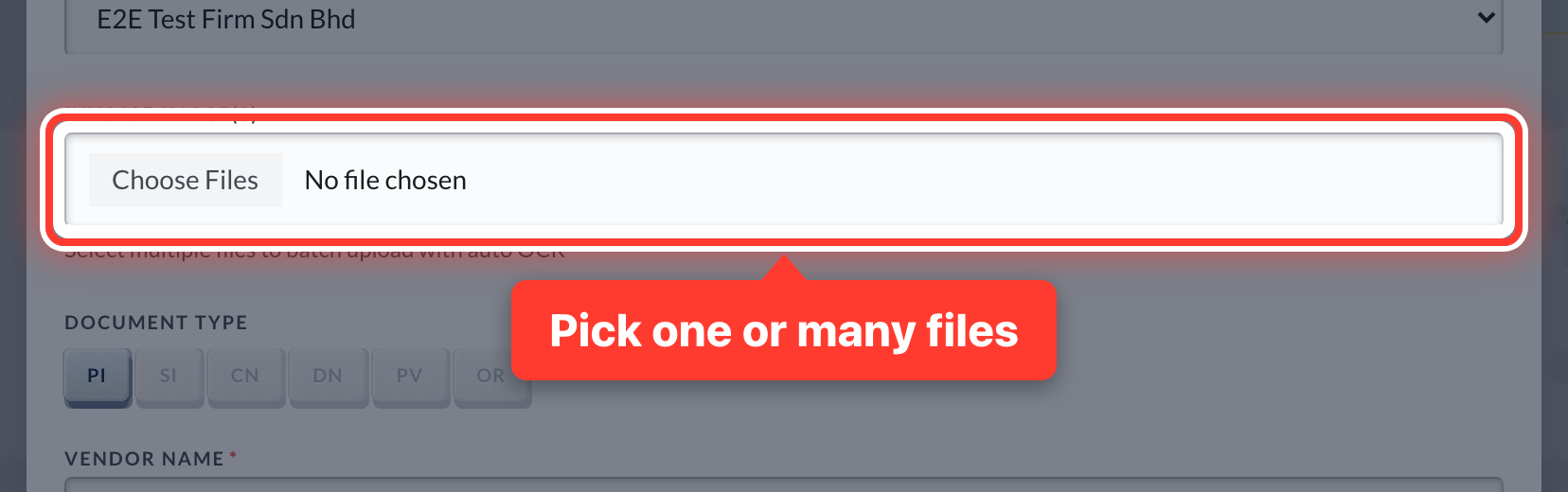 3Press Choose Files and pick a PDF or photo — you can pick many at once.
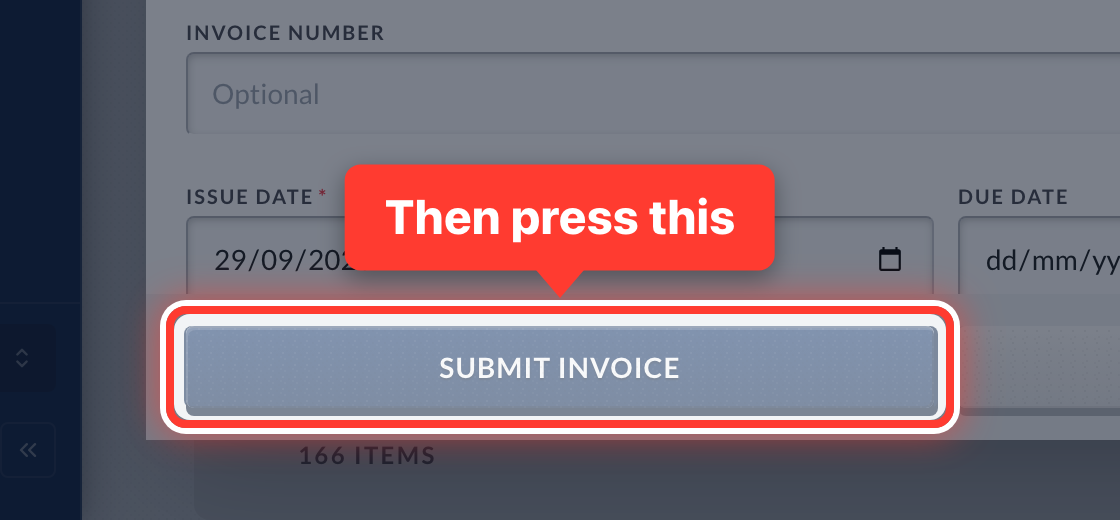 4One file: Fortura reads it and fills in the form — check it and press Submit Invoice. Several files: each is read into a list — check them and press Submit Selected.
- 5On your phone? Connect Telegram once from Help & Support → Guide, then just send the photo to the Fortura bot.
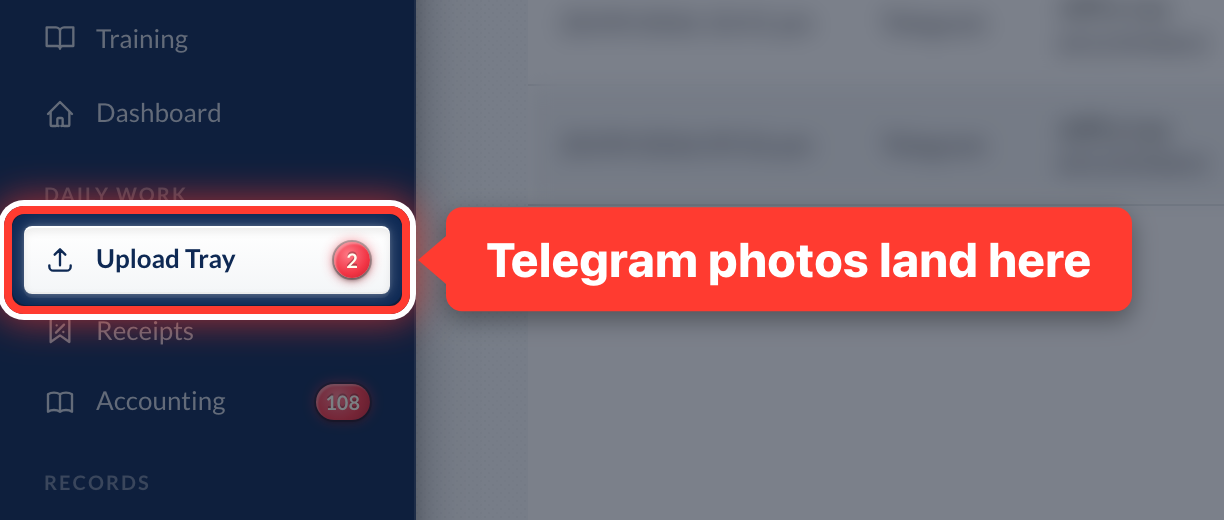 6Photos sent by Telegram land in your Upload Tray for you to check.
Got a question or stuck on something? Our team is happy to help.
Contact support